

Melt Rewards PERKS

$1 = 10
Points
Your points unlock FREE fries, drinks, shakes, melty entrees and more!

welcome & birthday
Gifts
You hit the
milestone.
We blow the
confetti!

early
access and
Food Drops
Get the scoop first + score free bites — because who says no to free food?

surprise
Offers
Unexpected,
exclusive,
and just for you!
YOU'LL Melt FOR OUR REWARD!

Drink starting at 300 points

Dessert 400 points
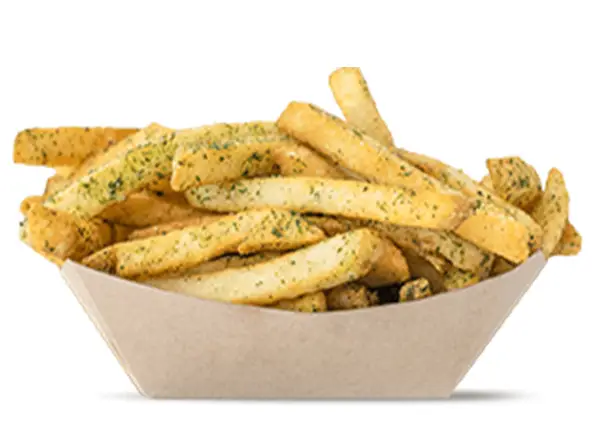
Soup & Fries 500 points

Hand-Spun Shakes 800 points

Melty Entrees 1,000 points

Premium Entrees 1,200 points
*Impossible 1,400
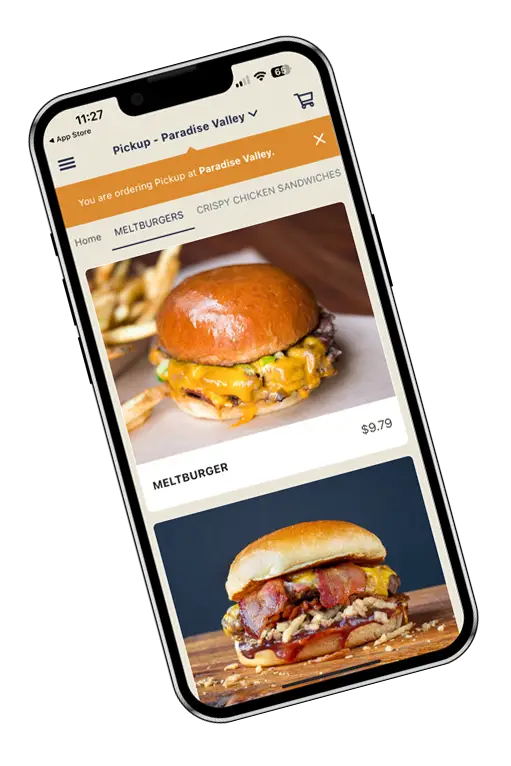
DOWNLOAD THE Melt APP
for a seamless melt rewards experience!
QUICK ACCESS to your points, offers and rewards
FASTER ordering and re-ordering
Get the Melt DELIVERED*
*no delivery app markups
Easy receipt scan to get your points for in-restaurant purchases


Melt REWARDS FAQs
How do I join the Melt Rewards program?
- Download The Melt mobile app to your mobile device from the App Store or Google Play OR
- Register here to sign up
How do I earn points?
Earning points is simple!
Online or in the app:
- Points are added to your account automatically when you order through The Melt app or themelt.com
In-restaurant:
- Scan your receipt in the app after your purchase
- Enter your phone number at Kiosk
- Link your credit card to your account—once it’s linked, you’ll earn points automatically every time you pay with that card
You will earn 10 points for every $1 spent on The Melt qualifying purchases.
Just a heads-up: points cannot be earned on gift card purchases, tax, tips, fees, or when ordering through a delivery service app (like DoorDash or Uber Eats).
How do I redeem my rewards?
You can redeem rewards when ordering through The Melt app, themelt.com, at the Kiosk, or right at the counter.
Online or in the app:
- Add your favorites to the cart
- Tap “Apply reward” from the banner at the top
- Your discount will automatically show up at checkout
In-restaurant:
- Open The Melt app and choose the reward you’d like to use
- Tap “Redeem in store”, confirm you’re ready
- Show the reward to our team at the register within 60 minutes
- We’ll take care of adding the discount to your order
At Kiosk:
- Sign in with your phone number
- Check your available rewards
- Pick one and add it to your order
Where can I use Melt Rewards?
You can earn and redeem points and rewards on food and drink at any The Melt location in California and Arizona, whether you order online or in person.
A quick note: points cannot be earned on orders placed through third-party delivery apps (like DoorDash or Uber Eats), EZCater, or The Melt Delivery in Berkeley.
Do my Melt Rewards or points expire?
Yes, Welcome and Birthday rewards expire after 30 days. Bonus rewards have various expiration dates. Check your reward in the app or online to see when it expires.
Points expire after 12 months if there are no qualifying purchases on the account. Qualifying purchases are purchases made on the Melt app, melt.com, in-restaurant with a linked credit card or at the digital kiosk (must identify with phone number at kiosk). Gift cards and delivery app purchases do not qualify.
How do I add or delete card for in-store purchase?
- To add a new card or to delete your linked cards, open your The Melt mobile app.
- Go into the menu in the upper left corner and find the ‘Registered Cards’ section. Click on ‘Edit’ in the upper right corner, and from here you will be able to delete your linked cards.
- Click on ‘Add a new card’ at the bottom of the screen to add your card.
- You can either scan your card for quick linking or manually enter your card number. This can only be done in The Melt mobile app.
Do you share my personal information?
No. We don’t share your personal information (your name, your email address) with anyone. Please see our privacy page for more information.
Can I participate in Melt Rewards if I don't want the app?
Yes, you can enroll via the signup link or use web ordering to earn and redeem rewards.
How do I change my email/password for my Melt Rewards account?
Why can't I link my credit card for in-store purchases?
When you enroll a card for in-store purchases, we send the card number directly from your phone to the card network (Visa, MasterCard, Amex), and they enroll it. They then notify us that your card was enrolled (they don’t send us the card number itself).
When you attempt to add a card, it’s possible that the card network will reject it, and the message returned as to why can be somewhat vague for security purposes. Here are some reasons that may result in your card being rejected:
- Your card is already enrolled. This often happens when two people share a card. It also often occurs when you already have an account (for example, you signed up a month or two ago and then signed up again accidentally). If you suspect you may have two accounts, reach out to our support team at themelt@thanx.com
- Your card has expired. If your enrolled card has expired and you try to enroll a new card with the same card number, your new card will be rejected. Once you remove your expired card from your account, you can enroll your new card.
- Your card is not supported. We do not currently accept Discover cards or Apple Cards. Some Visa, MasterCard, and Amex cards may be rejected if they are pre-paid, corporate, or issued outside the US. This isn’t up to us; it’s the policies of the card networks. If you use a card that you are unable to enroll in your account, please submit your receipts through the app, and we’ll make sure to credit your account.